
How to export a database using phpMyAdmin
In this article, we will show you how to export a database using phpMyAdmin. This is assumed that you already have a database in your cPanel account and you wish to export your existing database file. Step 1: Log in to cPanel account. Step 2: Go to phpMyAdmin.  Step 3: Select the database which you want to export.
  Step 4: Now click on the Export tab and hit the Go button to export the file.
 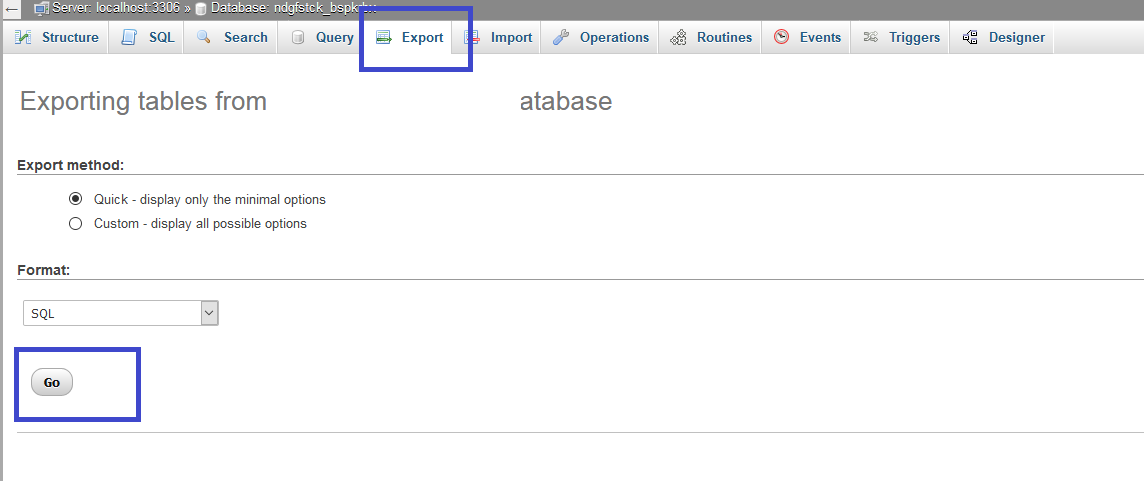 Your database file has been successfully exported. Now you know how to export a database using phpMyAdmin.
We hope this tutorial helps you find the perfect solution. If you like our tutorials, definitely you’ll love our support. All VernalWeb hosting plans include 24/7 support from our amazing inhouse support staff. Check out our web hosting plans and have your website migrated today!
Was this article helpful?